
How to appear in ChatGPT and Google AI Overview answers: a guide for small businesses (2026)
More and more customers ask AI instead of clicking on Google. We looked at the latest research on AI search traffic and put together 9 concrete steps to get AI to recommend your business.
The short answer
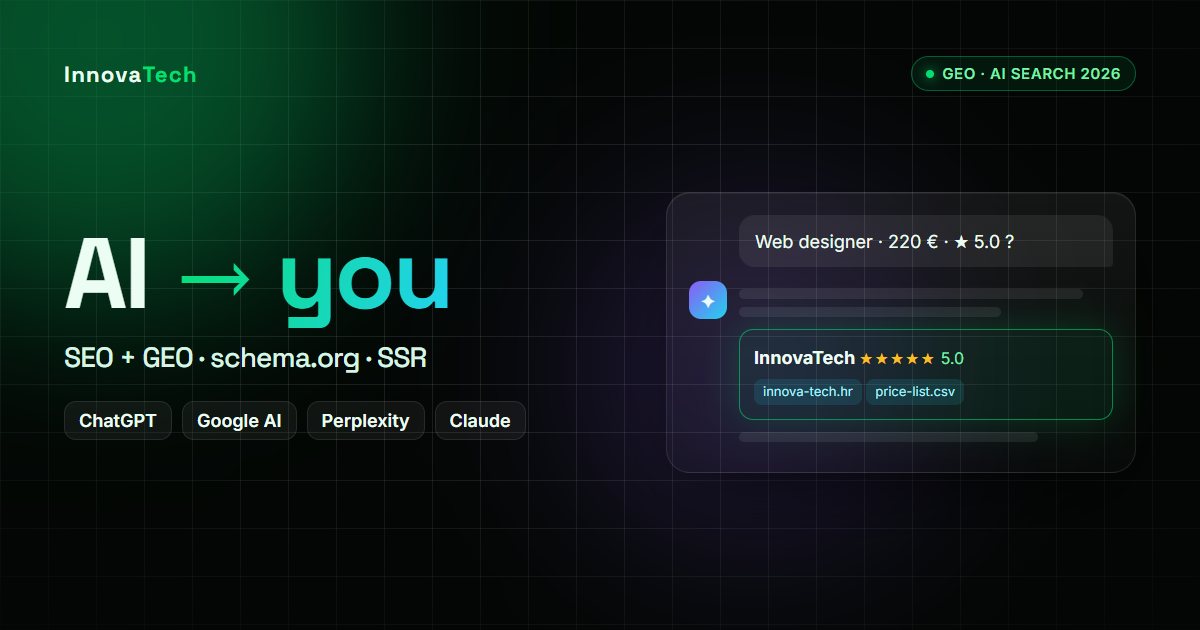
For ChatGPT, Perplexity or Google's AI Overviews to recommend you, your website has to answer the customer's questions clearly and verifiably – what you do, for whom, where and what it costs – in clean HTML that AI crawlers can read. On top of that you need structured data, reviews and mentions on other trusted sites. Classic SEO remains the foundation: AI tools mostly build their answers from search results.
What the latest research says
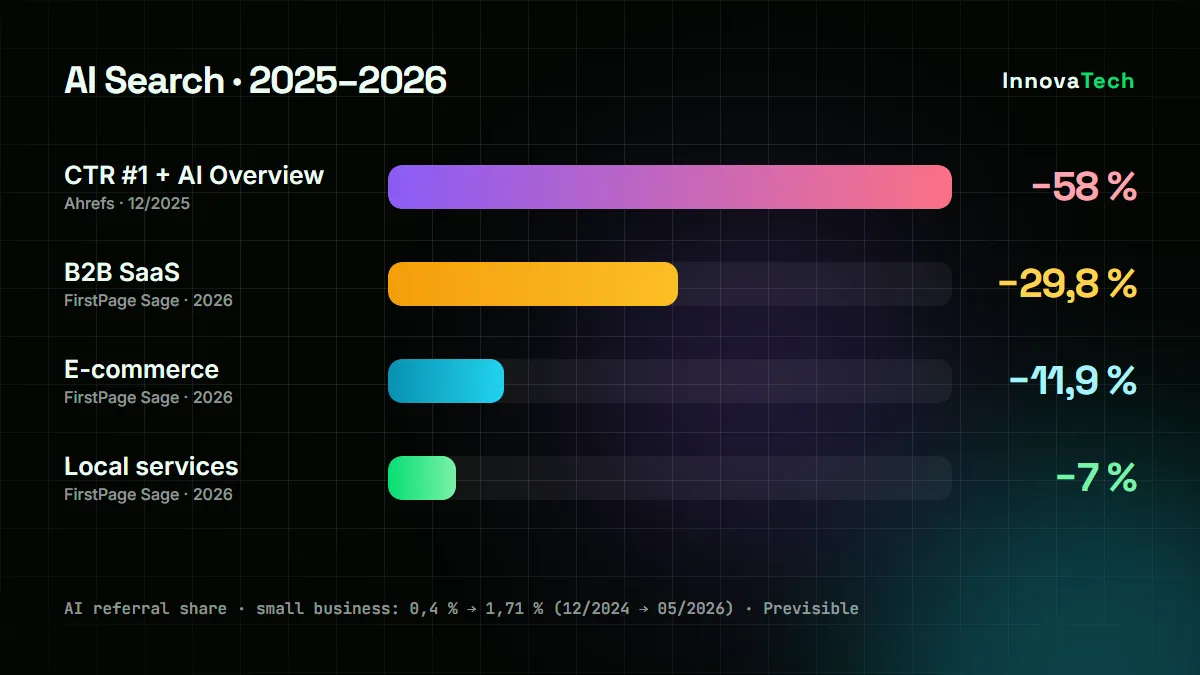
- Ahrefs (December 2025): when a Google AI Overview appears above the results, the click-through rate of the top result drops by 58%.
- FirstPage Sage (2026, 218 sites): local services lost 7% of organic sessions, e-commerce 11.9% and B2B software 29.8%.
- Previsible: the share of traffic from AI tools for small businesses grew from 0.4% (December 2024) to 1.71% (May 2026) – the highest of all industries measured.
- Small Business Expo (September 2026, 3,608 owners): 33.9% of small business owners noticed a traffic drop they attribute to AI answers.
Google is still by far the biggest source of visits – one October 2026 analysis found ChatGPT sends only 0.62% as much traffic as Google organic search. But a visitor whom AI has recommended your business to arrives with a very specific intent. If you are not there, you hand that customer to a competitor.
AI doesn't recommend the loudest business, but the one it has the most clear and verifiable information about.
9 steps to get recommended by AI
1. The answer at the top of the page
Let the first paragraph of every important page answer the question: what you offer, for whom, where and at what price. AI tools like to quote short, self-contained answers.
2. Public prices
AI can't recommend an “affordable provider” if it doesn't know your price. We publish our price list in machine-readable form too (CSV and XML).
3. Content in HTML, not only in JavaScript
According to Vercel's analysis, AI crawlers such as GPTBot and ClaudeBot don't execute JavaScript. A page that only renders its content in the browser is empty to them. The fix is server-side rendering or static generation – exactly what Nuxt does.
4. Structured data
Schema.org markup (Organization or LocalBusiness, Product and Offer, FAQPage) tells machines unambiguously who you are, where you work and what you sell.
5. Google Business Profile and reviews
An up-to-date profile with the same name, address and phone number as on your website, plus genuine customer reviews, is one of the strongest signals for local searches.
6. Mentions on other sites
Directories, marketplaces such as Trebam.hr, local media and partners. AI builds trust on what others write about you, too.
7. Don't block AI crawlers
Check your robots.txt and your CDN or firewall settings: some services offer or enable AI bot blocking. If OAI-SearchBot or PerplexityBot is blocked, those tools can't quote you.
8. Pages in your customer's language
If you want customers from Germany, Austria or Slovenia, you need real German and Slovenian pages with correct hreflang tags – not an automatic browser translation.
9. Freshness and authorship
An update date, who is behind the business, contact details and an FAQ with real customer questions. An llms.txt file doesn't hurt, but no major AI tool officially uses it yet – it isn't a priority.
What this looks like in practice
We apply all of this to our own website: a public price list in CSV and XML, structured data, FAQs, Nuxt with server-side rendering and the site in 9 languages, including German, Slovenian and Bosnian. We build the same approach into every new website and webshop.
What it costs
- New website – from €220
- Webshop – from €400
- Improving an existing site (structured data, speed, content) – Nuxt development at €33/h
🤖 Want AI to recommend you instead of your competitors?
We'll review your website and tell you what is keeping you out of Google's AI Overviews and ChatGPT.
Request a free estimate →Sources
- Vercel: The rise of the AI crawler
- FirstPage Sage: AI Impact on Website Traffic, 2026 Report
- BCC Interactive: AI Search Statistics for Local & Small Businesses (2026)
- AI Search Traffic Studies (October 2026)
- SEO Sherpa: AI Search Statistics 2026
- Forbes: Google AI Overviews Are Eating Your Website Traffic